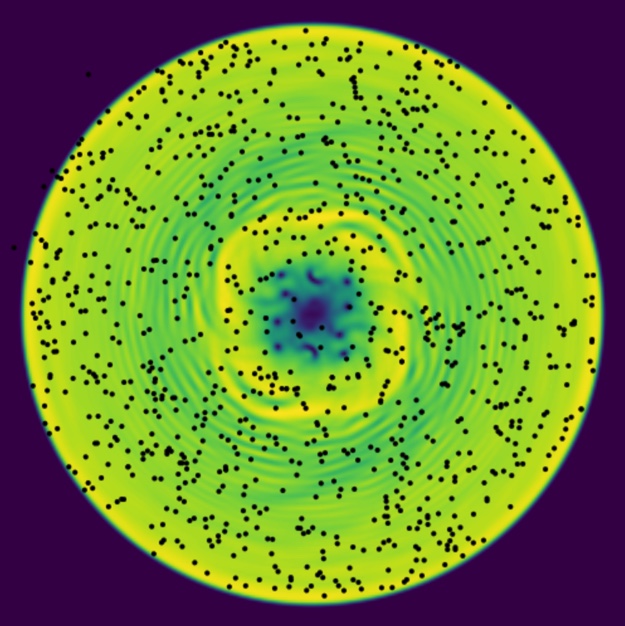
Here we explore properties of the HTML5 Canvas.
%%javascript
IPython.OutputArea.prototype._should_scroll = function(lines) { return false; }
Explicit
We start with some explicit manipulations of a canvas:
%%html
<style type="text/css">
    canvas {
        border: 1px solid black;
    }
</style>
<canvas></canvas>
from matplotlib import cm
import numpy as np
x = np.linspace(-2,2,100)
y = np.linspace(-2,2,100)
z = np.exp(-x**2 + y*x)
data = cm.viridis(z, bytes=True)
https://gist.github.com/sanbor/e9c8b57c5759d1ff382a
%%javascript
var canvas = document.querySelector('canvas');
canvas.width = 200;
canvas.height = 200;
var ctx = canvas.getContext('2d');
var raw_data = new Uint8ClampedArray([255,0,0,255, 0,255,0,255, 0,0,255,255,
                                      255,255,0,255, 0,255,255,255, 255,0,255,255,
                                      255,255,255,255, 0,255,0,255, 0,0,255,255])
var image_data = new ImageData(raw_data, 3)
canvas.width = 4;
canvas.height = 4;
ctx.imageSmoothingQuality = "high"
ctx.imageSmoothingEnabled = false
ctx.putImageData(image_data, 0, 0);
ctx.drawImage(canvas,
              0, 0, 3, 3,
              0, 0, canvas.width, canvas.height);
%%javascript
var kernel = IPython.notebook.kernel;
function handle_output(data) {
    console.log(data.msg_type);
    debugger;
    raw_data = data.content.text;
}
var callbacks = {iopub : {output : handle_output,}}
kernel.execute("print(_data)", callbacks)
%%javascript
debugger;
var data = new kernel.execute('print(data)');
var image_data = new ImageData(raw_data, 100);
ctx.putImageData(image_data, 0, 0);
Widget
Here is our widget. This is not installed - we load and execute all of the javascript explicitly.
import mmf_setup.set_path.hgroot
from importlib import reload
from super_hydro.clients import canvas_widget
reload(canvas_widget)
canvas_widget.display_js()   # Load javascript
canvas = canvas_widget.Canvas()
display(canvas)

from matplotlib import cm
import numpy as np
x = np.linspace(-2,2,200)[:, None]
y = np.linspace(-2,2,100)[None, :]
z = np.exp(-x**2 - (y**2-x)**2)
data = cm.viridis(z, bytes=True)
canvas.width = 1000
canvas.height = 1000
canvas.rgba = data
import time
from matplotlib import cm
import numpy as np
Nx, Ny = (512, 512)
x = np.linspace(-2,2,Nx)[:, None]
y = np.linspace(-2,2,Ny)[None, :]

def get_data(t):
    z = np.exp(-x**2 - (y**2-x*np.cos(t))**2)
    return cm.viridis(z, bytes=True)

tic = time.time()
Nt = 100
for t in np.linspace(0, 10*np.pi, Nt):
    canvas.rgba = get_data(t)
print(f"{Nt/(time.time() - tic):.1f}fps")
from matplotlib import cm
import numpy as np
x = np.linspace(-2,2,100)[:, None]
y = np.linspace(-2,2,100)[None, :]
z = np.exp(-x**2 - (y**2-x)**2)
data = cm.viridis(z, bytes=True)
canvas.width = 256
canvas.height = 256
canvas.rgba = data